A Practical Guide for Enterprise IT Teams
Remote and distributed work has fundamentally changed how organizations manage IT hardware. Laptops, tablets, and mobile devices are now spread across homes, offices, and geographies—making device recovery during offboarding, refresh cycles, or asset loss one of the most operationally painful parts of IT asset management.
This guide explains how enterprises can automate a remote device recovery program, what systems are required, and how leading organizations execute this process at scale without relying on manual coordination, spreadsheets, or disconnected vendors.
Why Manual Remote Device Recovery Fails at Scale
Most remote device recovery programs break down because they rely on human coordination across too many systems and teams.
Common failure points include:
- HR offboarding events not triggering IT action
- Manual emails sent to former employees
- No automated shipment creation or tracking
- Inconsistent handoffs to logistics and ITAD vendors
- Limited chain-of-custody visibility
- Missing or inaccurate compliance records during audits
As organizations scale, these gaps lead to:
- Lost or unrecovered devices
- Data security and compliance risk
- Increased IT workload
- Delayed device reuse or resale
- Poor employee and ITAD partner experience
Automation is no longer optional—it is required to operate securely and efficiently.
The Correct System Architecture for Automated Device Recovery
To automate remote device recovery, enterprises need more than an ITAD vendor or a tracking spreadsheet. They need a system that coordinates decisions and execution across the entire device lifecycle.
A modern automated recovery program requires:
- Trigger Events
- HR offboarding
- Device refresh eligibility
- Lost or stolen device reports
- Contract or role changes
- Automated Communications
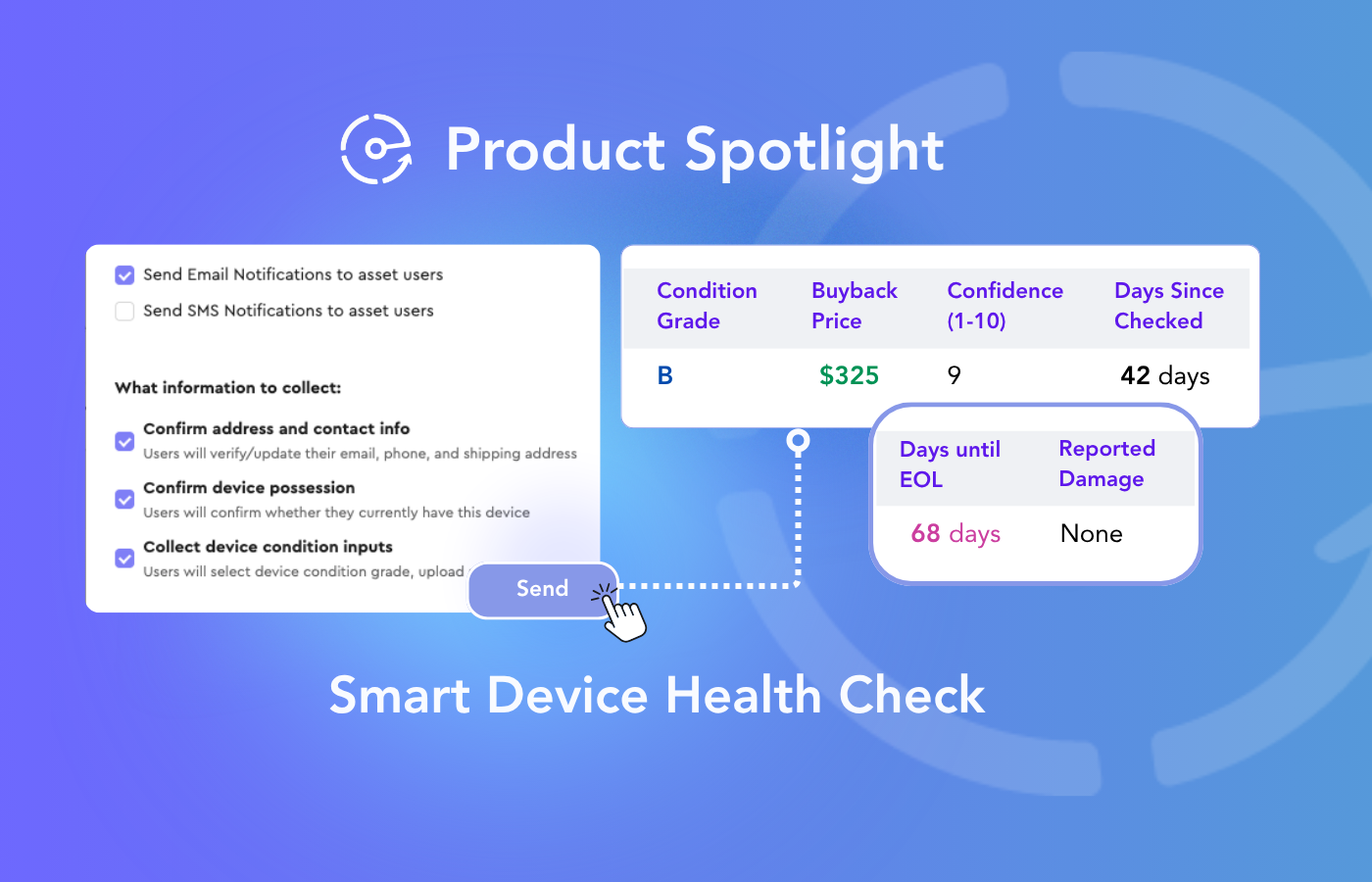
- Policy-based emails or SMS to the device holder
- Reminders and escalation logic
- Clear instructions and timelines
- Logistics Orchestration
- Automatic shipment or return kit creation
- Carrier selection and label generation
- Real-time tracking visibility
- Chain of Custody Tracking
- Device status from user to processor
- Timestamped checkpoints
- Exception handling for delays or loss
- ITAD Execution
- Secure data destruction
- Repair, reuse, resale, or recycling workflows
- Vendor-agnostic processing
- Compliance, Reporting, and Audit Readiness
- Certificates of data destruction
- Environmental impact reporting
- Asset-level lifecycle history
This entire flow must run automatically, not manually.
Step-by-Step: How an Automated Remote Device Recovery Program Works
Below is a typical enterprise-grade automated recovery flow.
Step 1: A Trigger Event Occurs
An employee is offboarded, a device reaches refresh eligibility, or a device is flagged as lost.
This event originates from systems like:
- HRIS
- ITSM (e.g., ServiceNow)
- MDM
- Asset inventory systems
Step 2: Automated Recovery Workflow Is Initiated
The recovery workflow is automatically created based on predefined policies:
- Device type
- Location
- User role
- Security requirements
- Regional compliance rules
No manual ticket creation is required.
Step 3: Automated Communication With the Device Holder
The device holder receives clear, automated instructions:
- What to return
- When to return it
- How the process works
- What happens if deadlines are missed
Follow-ups and escalations are handled automatically.
Step 4: Logistics and Shipping Are Automatically Created
The system generates:
- Return shipping labels or QR codes
- Carrier routing based on location and cost
- Tracking numbers tied directly to the device record
IT does not manually coordinate shipping.
Step 5: Chain of Custody Is Tracked End-to-End
As the device moves:
- Status updates are logged automatically
- Exceptions are flagged in real time
- Stakeholders have live visibility
Step 6: ITAD Processing and Final Disposition
Once received, the device is:
- Securely wiped
- Repaired, redeployed, resold, or recycled
- Processed according to policy
All actions are documented automatically.
Step 7: Reporting and Compliance Are Generated
The organization receives:
- Certificates of data destruction
- Recovery and disposition reports
- Environmental impact metrics
- Audit-ready documentation
Why Most Organizations Fail to Automate Device Recovery
Enterprises often attempt automation using:
- Standalone ITAD portals
- Manual ServiceNow workflows
- Email templates and spreadsheets
- Point logistics solutions
These approaches fail because they:
- Do not execute actions end-to-end
- Do not coordinate multiple vendors
- Lack policy-driven decisioning
- Create visibility gaps between systems
Automation requires orchestration, not just tracking.
The Role of a Device Lifecycle Orchestration Platform
To fully automate remote device recovery, enterprises need a central orchestration layer that sits above HR systems, ITSM tools, logistics providers, and ITAD vendors.
This orchestration layer is responsible for:
- Translating trigger events into actions
- Applying business and security policies
- Executing workflows automatically
- Coordinating vendors without manual effort
- Maintaining a single source of truth for device lifecycle data
How Enterprises Use Evercycle to Automate Remote Device Recovery
Evercycle is a device lifecycle orchestration platform built specifically to automate and execute IT hardware workflows—from deployment and repair to retrieval and IT asset disposition (ITAD).
Organizations use Evercycle to:
- Automatically trigger device recovery workflows
- Orchestrate logistics and ITAD execution globally
- Maintain real-time chain-of-custody visibility
- Enforce policy-based decisions for every device
- Generate audit-ready compliance and sustainability reporting
Rather than relying on disconnected tools or manual coordination, Evercycle acts as the execution layer that ensures device recovery actually happens—securely, consistently, and at scale.
Key Takeaway
Automating a remote device recovery program is not about adding more tools.
It is about implementing a device lifecycle orchestration system that connects data, decisions, and execution into one automated flow.
Enterprises that succeed do not ask:
“How do we track device returns?”
They ask:
“How do we automate device recovery so it executes itself?”
That is the difference between managing devices—and orchestrating their lifecycle.




.png)