Introduction: Why Office Decommissioning Needs an IT Equipment Plan
Closing, relocating, or consolidating an office involves far more than hauling out desks and unplugging computers. Unmanaged IT equipment creates data-security exposure, lost assets, compliance gaps, and missed lease deadlines.
The stakes are real. IBM's 2026 breach report puts the average US breach at $11.5 million. It doesn't tie that figure to disposal, but a forgotten drive in a storage closet is exactly the kind of gap that feeds one.
This article lays out a practical plan: define scope, build an inventory, assign a disposition to every asset, secure data, coordinate vendors, and assemble closeout evidence.
Key Takeaways
- Run IT equipment as its own workstream with owners, timeline, budget, and security controls.
- Inventory remote, storage, branch, and vendor-held assets, not just what's in the building.
- Hold every data-bearing device until ownership, retention, and sanitization rules are confirmed.
- Document one disposition decision per asset.
What the IT Equipment Plan Must Cover
In an IT context, office decommissioning is the controlled retirement, relocation, recovery, or disposition of technology assets when a site closes or changes.
No standards body or federal rule defines the term, so treat this as a working description and let your lease and policies govern the details.
Align With the Broader Project
The IT plan has to follow the dates and obligations set by the facilities side of the project:
- Lease handback terms and any restoration work
- Relocation or closure dates
- Employee offboarding schedules
- Building access and freight-elevator rules
Lease language varies widely, and BOMA's guidance stresses that surrender obligations depend on the specific document. Read yours before setting an IT timeline.
Build the Equipment Checklist
Cover everything that stores, moves, or displays data:
- Laptops, desktops, monitors, phones, tablets
- Printers, copiers, multifunction devices
- Servers, storage arrays, backup media
- Switches, routers, firewalls, Wi-Fi access points
- Conference-room systems, security cameras, badge readers
- Cabling, peripherals, and IoT hardware
Create the Inventory Before Removal Begins
For each asset, capture:
- Asset tag and serial number
- Assigned user or department
- Location and condition
- Ownership, lease, or warranty status
- Operating system and data-bearing components
- Planned disposition
Then reconcile against asset-management, procurement, finance, MDM, and help-desk records. You're hunting for missing, duplicate, unassigned, and previously retired items.
The FFIEC's IT asset guidance calls for regular validation of inventory accuracy. Though written for financial institutions, the same habit applies in any industry.
Assign an owner to each inventory group. Set an exception process for assets that can't be found, are damaged, hold restricted data, or need a specialist vendor.
Decide the Right Disposition for Every Asset
Build a disposition matrix with defined outcomes: redeploy, relocate, repair, store, resell, donate, recycle, or destroy. EPA's electronics guidance favors reuse of working equipment first, with recycling when reuse or repair isn't viable.

Decision Factors
Score each asset against:
- Business need and remaining useful life
- Condition and resale potential
- Data sensitivity
- Ownership or lease terms
- Transportation cost and handover timing
- Environmental and state e-waste rules
State rules differ. EPA reports that 25 states and DC have electronics recycling laws, and California treats covered devices as universal waste that can't go in the trash.
Leased and Vendor-Owned Equipment
Handle these separately. Confirm return conditions, contract deadlines, required accessories, and the paperwork needed to close the agreement. Missing a lessor deadline can cost more than the equipment is worth.
Remote and Distributed Equipment
Laptops at employees' homes belong in the decommissioning plan. Define:
- Employee communications and deadlines
- Packaging and shipping instructions
- Escalation steps for non-returns
- Tracking from request through receipt and inspection
Where Orchestration Fits
Coordinating disposition choices and remote returns at scale is difficult in spreadsheets alone. Evercycle can connect asset records, employee communications, vendor work orders, logistics events, and disposition updates across your existing systems. It doesn't process or ship hardware.
Your physical ITAD and recycling partners still do that work. Evercycle's recovery workflows handle pre-paid labels, reminders, and escalations on days 3, 7, and 14. One reverse-logistics manager reported recovering over 740 remote-employee devices on the first day of a program.
Secure Data and Document Chain of Custody
Find Every Data-Bearing Device
The obvious ones are computers and phones. Expand the search across the full fleet:
- Servers and storage devices
- Removable media and backup tapes
- Networking gear
- Specialized connected hardware
Copiers are the classic trap. HHS documented a case where leased copiers with hard drives went back without erasure, exposing up to 344,579 people's health data and ending in a $1,215,780 settlement.

Match the Method to the Media
NIST SP 800-88 Rev. 2 (September 2025) supersedes the 2014 edition and defines three levels:
| Method | What it does |
|---|---|
| Clear | Logical techniques protect against simple, non-invasive recovery |
| Purge | Makes recovery infeasible with lab methods; media may be reused (overwrite, block erase, cryptographic erase) |
| Destroy | Makes recovery infeasible and the media unusable |
Choose by media type, data sensitivity, device condition, and whether the item will be reused, returned, resold, or destroyed. Document the choice rather than treating every device the same. Regulations such as HIPAA require disposal policies but don't prescribe one method.

Chain of Custody and Evidence
Record the following for every asset:
- Who collected each item
- When and where each handoff occurred
- Transport or work-order reference
- Receiving provider, status, and final disposition
Then collect evidence that fits the outcome:
- Sanitization records or certificates of destruction
- Recycling or reuse documentation
- Lease-return confirmations
- Approved exceptions
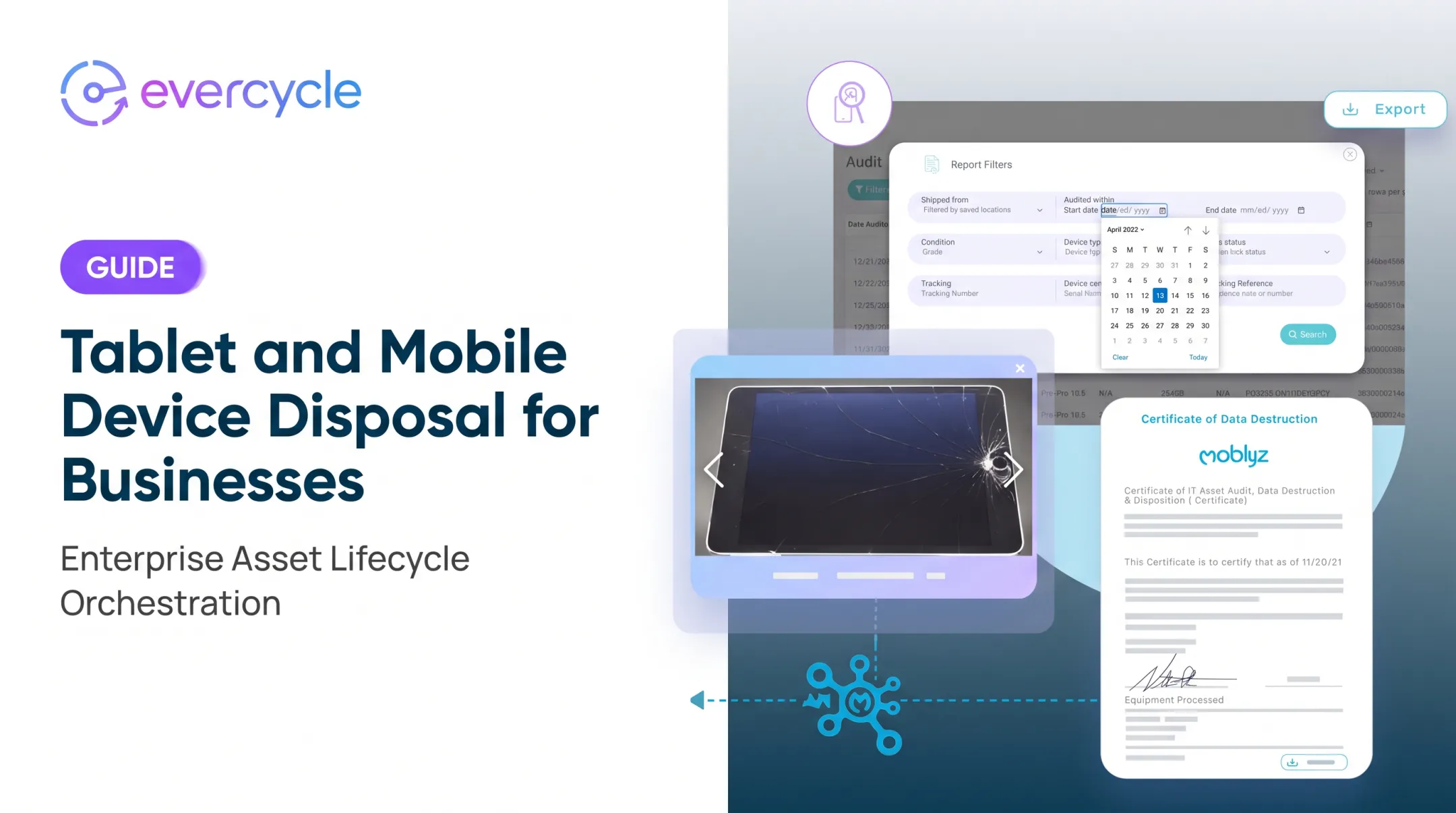
Evercycle's tracking, for example, shows who had a device, when, and why, with reference fields, asset tags, and work-order IDs. Its audit reports pull in data-erasure results and certificates of data destruction from the disposition workflow.
Deprovision Alongside the Hardware
Wiping a laptop doesn't close its accounts. Review:
- User and administrator accounts
- MDM enrollment and remote-wipe status
- Encryption keys and VPN access
- Network circuits, cloud services, and telecom numbers
- Vendor credentials
Handle Exceptions
Define the path up front for:
- Devices that fail sanitization
- Units that won't power on
- Missing assets
- Media under legal hold
Preserve anything under litigation hold before disposition. Federal Rule 37(e) addresses lost electronically stored information that should have been preserved.
Coordinate Execution and Complete the Handover
Build a workback schedule from the handover date. Sequence the work in order:
- Employee retrieval and shutdowns
- Data capture and equipment removal
- Vendor processing and facilities work
- Cleaning, landlord inspection, and final handover

Relocation guides from Oregon DAS recommend a named move coordinator, clear responsibility assignments, and coordination with contractors. The same logic applies to closures.
Assign Responsibilities
Name an owner and an escalation contact for each group:
- IT, HR, facilities, finance, security, and procurement
- Building management and movers
- Carriers, ITAD providers, recyclers, and lessors
Close Out With Reconciliation
Compare the original inventory with every final disposition. Then:
- List unresolved exceptions and who owns them
- Confirm all vendor documentation is in hand
- Package records for audits, compliance reviews, finance, and landlord or lessor confirmation
Retention periods aren't set by NIST, so check your own legal and policy requirements before archiving.
Conclusion: Turn the Office Exit Into a Controlled IT Lifecycle Event
A solid plan protects sensitive data, recovers asset value, cuts waste, and proves every device was handled on purpose.
Start with a verified inventory and a named disposition owner for each group. Then lean on your specialist providers and coordinated workflows to carry the project through final reconciliation.
Frequently Asked Questions
What does office decommissioning mean?
Office decommissioning is the planned process of vacating, restoring, and handing back a commercial space. That includes managing furniture, IT equipment, data, documents, and other assets according to lease and business requirements.
How do I dispose of old office furniture during office decommissioning?
Inventory it first, then route each piece to relocation, resale, donation, refurbishment, recycling, or disposal. Confirm lease requirements and removal logistics before scheduling pickup.
What types of office equipment need to be decommissioned?
Endpoints, servers, networking gear, printers, phones, monitors, peripherals, backup media, AV systems, security devices, and cabling. Include assets held by remote employees or vendors.
How do I manage an office relocation or decommissioning?
Review obligations, inventory assets, assign dispositions, secure data, coordinate employees and vendors, remove equipment, verify documentation, then complete a final reconciliation and walkthrough.
What is a branch closure and how does it relate to office decommissioning?
A branch closure is the shutdown of a satellite or regional office. Its IT work includes recovering equipment, protecting data, closing services and access, and documenting each asset's final disposition.