That's how most offboarding gaps look. They rarely involve one big failure. They're small, unowned tasks nobody verified. In a CISA advisory, a former employee's account was not promptly disabled and was later compromised, exposing documents.
This article walks through a workflow from departure trigger to verified closure, covering identities, applications, data, credentials, devices, vendors, and evidence.
Key Takeaways
- Disabling an identity is one step; every assigned device also needs recovery, sanitization, and disposition.
- Remote work demands clear ownership, tracked shipping, and escalation for missing equipment.
- Every revocation, handoff, and wipe needs proof, not a "completed" status.
- Automation cuts coordination work, but exceptions still need accountable humans.
Why Offboarding Gaps Persist Across Data and Devices
Identity deactivation is not access removal
Turning off a user in the identity provider feels final. It isn't. Microsoft Entra's documentation notes that access may persist until issued access tokens expire, and that applications must revoke their own session tokens.
Other leftovers are common:
- Local accounts in apps outside single sign-on
- OAuth grants and API keys
- Service accounts and shared credentials
- Personal email permissions and forwarding rules
- Vendor-portal logins
Contractors are a recurring weak spot. TIGTA found that 13 of 63 former contractor employees in one examined group still had an assigned ID and active IRS network access.
Physical assets add a second risk layer
Asset inventories are often incomplete, and a remote employee may keep the equipment after they leave. Even a returned laptop still holds company data until someone sanitizes it.
Evercycle's internal figures show that with manual recovery, 20% to 30% of devices never come back, with 3 to 6 hours of IT time per recovery event.
Fragmented systems create ownership gaps
HR, IT, asset management, logistics, and ITAD vendors each hold part of the picture. Consider the contrast:
- Spreadsheet process: HR emails IT, IT emails the manager, someone eventually remembers the laptop. No deadlines, no proof.
- Event-driven workflow: The HRIS departure event creates tasks automatically. Each has an owner, a deadline, an escalation path, and required evidence.
Build a Secure Offboarding Workflow From Trigger to Closure
Define the departure event and risk tier
Start the workflow when HR records a resignation, termination, contractor end date, or role change, not when someone remembers to open a ticket. Then tier the risk. Involuntary exits, privileged users, regulated data access, and suspected incidents may need an immediate cutoff, while a routine resignation can follow a planned schedule.
NIST SP 800-53 (PS-4) leaves the disablement window organization-defined, while CIS Controls v8.1 says to disable accounts immediately upon termination. Set your own standard by tier.
Assign every task a named owner across HR, the manager, IT, security, facilities, procurement, and outside providers. Each needs a deadline, an escalation path, and a definition of done.
Create a live inventory before access is removed
Reconcile the person's current state against HR and asset records:
- Identities, groups, privileged roles, and applications
- Devices and asset tags
- Data ownership
- Vendor accounts, shared credentials, tokens, and service accounts
A static checklist misses what people accumulate over time. A five-year employee in a distributed company may hold a dozen SaaS apps and three devices that no template lists.
Execute the cutoff in a controlled sequence
Order matters:
- Hand off data and work to a new owner
- Revoke sessions and tokens
- Remove group memberships
- Deactivate accounts
- Lock or manage devices
- Rotate credentials
- Notify relevant owners

Verify closure and manage exceptions
Confirm removal in each application itself, not just in the ticket. Collect device status, recovery evidence, and sanitization records. Close or escalate every failed or delayed task.
Then reconcile after the final working day. No universal cadence is defined for workforce accounts; CIS reviews service accounts at least quarterly. Match frequency to risk: a short follow-up check for privileged users, a lighter one for standard roles.
Close Device Gaps During Remote and Onsite Offboarding
Inventory every assigned asset
The laptop is rarely the only item. Include:
- Desktops, tablets, phones, and monitors
- Security keys, removable media, and networking gear
- Scanners, kiosks, and sensors
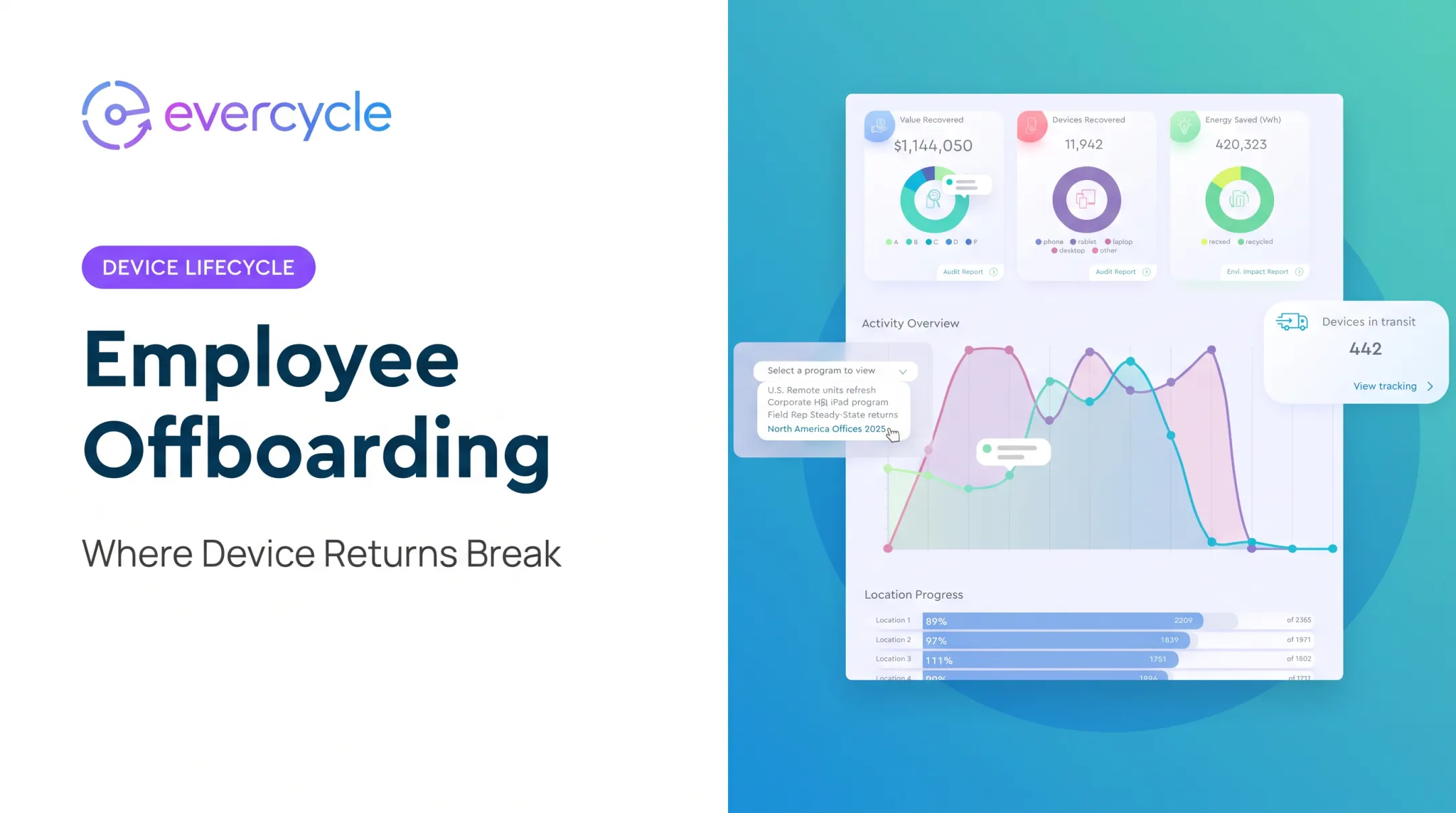
Record asset ID, serial number, assigned user, location, condition, and custody status. Evercycle Insight, for example, pulls device manifests and MDM data to show who has what and where.
Plan recovery around the work arrangement
| Option | Best for | Watch out for |
|---|---|---|
| Onsite collection | Office staff | Exit-day rushes |
| Remote shipping | Distributed employees | Missed returns |
| Manager-assisted | Small teams | Inconsistent handling |
| Office drop-off | Hybrid workers | No tracking |
| Third-party logistics | Large or multi-site programs | Vendor coordination |
Whatever the method, require clear instructions, packaging and labels, tracking, deadlines, and escalation for missed returns. Automated reminders at days 3, 7, and 14 are one workable pattern.
Special cases need their own path:
- Unreachable employee, or lost or stolen device: Treat as an incident. Lock or wipe remotely and notify security.
- BYOD: Remove corporate data selectively. Google Workspace, for instance, distinguishes full wipes from corporate-data wipes.
- Contractors and field workers: Track assets held outside employee records.
Routine recovery chases a box. Incident response assumes data exposure.
Preserve chain of custody
At each handoff, record asset identity, sender and recipient, timestamps, tracking details, condition, tamper concerns, and the next responsible team. These records support audits and dispute resolution.
They don't prove data security by themselves. A tracking number says where a box went, not whether the drive was wiped.
Sanitize before reuse, resale, recycling, or storage
NIST SP 800-88 Rev. 2, published in 2025, is the current guidance. Its three methods:
- Clear: Logical techniques that defeat simple, non-invasive recovery
- Purge: Makes recovery infeasible with state-of-the-art lab techniques, leaving media potentially reusable
- Destroy: Recovery infeasible and media no longer usable

Record the method, operator or provider, date, device identifier, result, exceptions, and certificate. NIST's sample certificate also lists tool and version and verification method. If sanitization fails, pause disposition and escalate.
Route recovered assets to the right outcome
Redeploy, repair, refurbish, resell, recycle, store, or destroy, depending on condition, data status, business need, and policy. Controlled disposition can raise reuse and recovered value while supporting sustainability. But resale and recycling aren't finished until data-security evidence exists.
Protect Data, Credentials, and Ownership During Offboarding
Revoke access across identities, applications, and sessions
Go beyond the identity provider:
- Email, collaboration tools, cloud storage, finance and HR systems
- Engineering environments, VPN, privileged consoles, vendor portals
- MDM, password managers, and apps outside SSO
Then close the backdoors:
- Active sessions and refresh tokens
- MFA factors and passkeys
- Forwarding rules and external shares
- Personal email permissions and delegated access

Okta publishes token revocation APIs for this purpose, but each app still needs checking.
Transfer business data and responsibilities before deletion
Managers and system owners should name a new owner for files, mailboxes, calendars, repositories, dashboards, workflows, integrations, and customer or operational records.
Check retention schedules and legal holds first. FRCP Rule 37(e) addresses electronically stored information lost when reasonable preservation steps weren't taken; it isn't a fixed retention period, so involve legal.
Limit mailbox forwarding, respect privacy, and don't broadly share or delete data in a rushed handoff.
Rotate shared and machine credentials
Cover these credential types:
- Shared admin passwords and vault entries
- Cloud keys, SSH keys, and API tokens
- Service accounts, certificates, and recovery codes
- Vendor credentials
Find them through vault permissions, access logs, infrastructure inventories, code repositories, scheduled jobs, and integration records. Then reassign or replace.
OWASP notes no universal rotation interval applies to secrets, so rotate on departure when the person knew or created them.
Manage the notice period as a risk window
Keep the access people need to finish work. Trim what they don't: admin rights, bulk exports, financial approvals, and production changes.
Watch for unusual downloads, exports, sharing, or configuration changes, without assuming bad intent. Most departing employees are just leaving.
For high-risk roles, review activity before and during the notice period. CISA's insider threat guide covers log and upload/download review, but no authoritative source sets a look-back length. Define one in your own policy, and apply it consistently.
Retain evidence that proves the process worked
Keep proof for:
- Access removal and data transfer
- Credential rotation
- Device recovery and sanitization
- Vendor completion and open exceptions
A ticket marked complete isn't enough unless it links to the target system's status, asset record, custody record, or sanitization result.
Automate, Audit, and Improve the Offboarding Program
Connect the systems that start and complete the workflow
HRIS events can trigger identity changes, asset updates, employee messages, shipping, vendor work orders, data handoff tasks, and evidence capture. Microsoft Entra, for example, documents HR-driven provisioning that disables accounts after a termination event.
Don't assume full coverage. Automatic removal via SCIM depends on each application supporting it. Build in retries, alerts, approvals, and human review for exceptions.
Where Evercycle fits
Evercycle is an orchestration layer for distributed device lifecycle work. It connects asset data, vendors, logistics, employee communications, recovery, repair, and disposition across existing systems and providers, including Okta, Microsoft Entra ID, Intune, Jamf, and HR systems. Its offboarding flow covers five stages: Trigger, Engage, Move, Track, and Route.

It adds real-time traceability, chain-of-custody reporting, and audit-ready records. Evercycle doesn't physically process or ship devices; existing providers do that work while Evercycle coordinates it. It also doesn't verify identity or credential closure, so pair it with your identity and secrets tooling.
Measure closure quality and test the workflow
Track:
- Time to revoke access
- Device recovery completion
- Unresolved exceptions
- Sanitization evidence availability
- Vendor response times
- Recovered value
- Repeat failure points

Credible, transparent industry benchmarks for deprovisioning time are rarely published, so compare against your own baseline.
Test the workflow against scenarios such as:
- Routine resignations and involuntary exits
- Remote employees and contractors
- Privileged IT users
- Lost devices and failed vendor tasks
Feed results back into ownership rules, integrations, escalation paths, and the checklist.
Frequently Asked Questions
What is staff offboarding?
It's the coordinated process of ending a worker's access, transferring responsibilities, recovering devices, protecting company data, and documenting completion across HR, IT, security, and service providers.
What are the steps involved in the offboarding process?
Typical steps include the departure trigger, risk assessment, access and asset inventory, data handoff, account and credential closure, device recovery and sanitization, disposition, and final verification.
How do you automate onboarding and offboarding?
Connect HRIS events to identity systems, asset records, employee communications, logistics, vendors, and audit workflows. Keep exceptions and high-risk actions under human review.
How do you securely offboard a remote employee?
Cut remote access, revoke active sessions, apply device lock or management actions, and recover equipment through tracked, secure shipping. Sanitize the data and escalate lost or unreturned assets.
What should happen to a departing employee's laptop?
Identify it, recover it under documented chain of custody, inspect it, and sanitize it with an approved method. Then route it for redeployment, repair, recycling, storage, or destruction per policy.
How do you verify that offboarding is complete?
Confirm status in each application, identity system, asset and logistics record, credential store, sanitization record, and vendor workflow. Reconcile afterward and document closure of every exception.